For head coaches · a 90-second walkthrough
Run the team. Keep your evenings.
The jobs the Coaches Portal takes off your plate — and a whole demo season you can walk when you are done.
7 problems · 90 seconds · nothing to install
1 / 7
The old way
Tryout day runs on a clipboard and a group chat.
With FieldLogicHQ
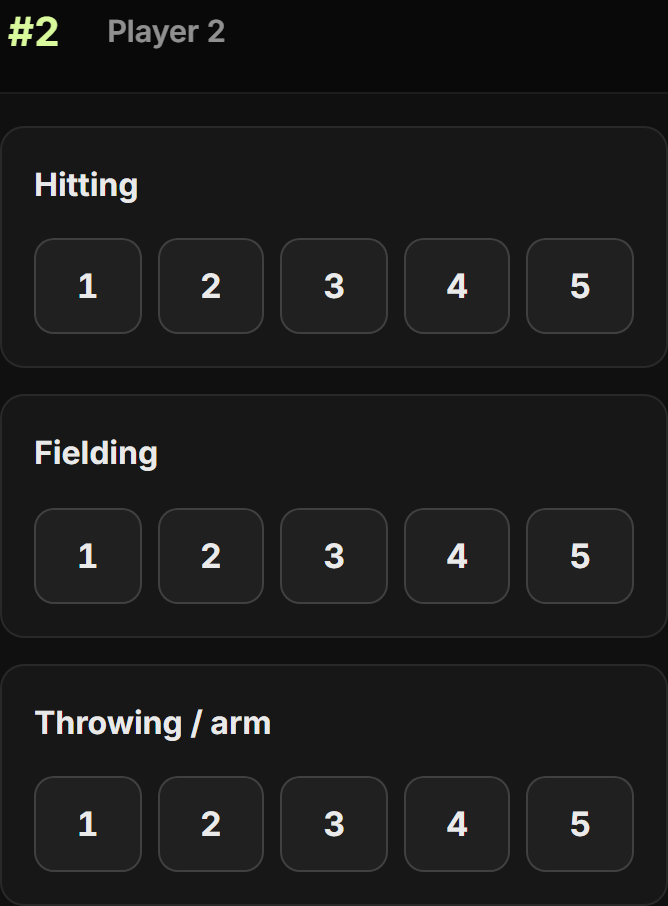
Evaluators score on their phones — a link, no login, and one card per player. You choose the categories and how much each is worth, so the ranked list at the end means what you decided it means, not what a spreadsheet averaged. Names stay hidden while scoring unless you say otherwise — one switch shows them, and puts them back. Tap any player to see what made their score, right down to each helper’s own number. Sort each player into Offering, Waitlist or Not this season, and one tap puts them on your roster — dues come later, once the team is settled.
2 / 7
3 / 7
4 / 7
5 / 7
The old way
Team fees are tracked in your head.
With FieldLogicHQ
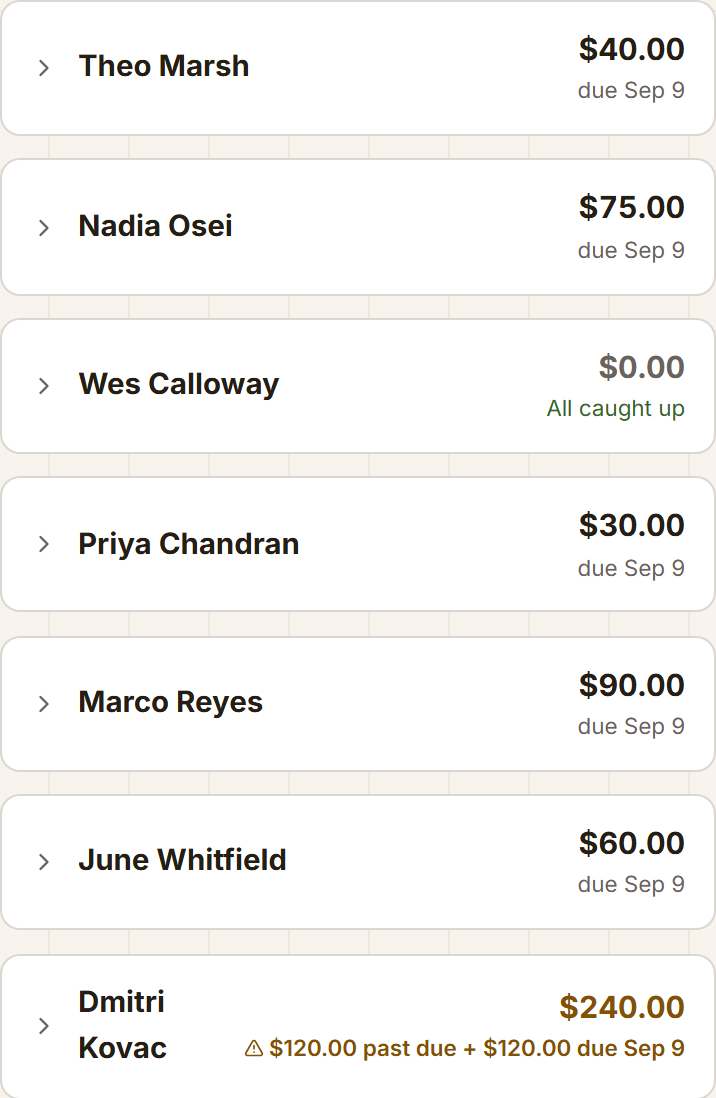
Player Dues puts every family on one page — what they were charged, what they have paid, what is left, and who has fallen behind. Reminders go out on their own ahead of each installment’s due date, and one button chases whoever is still behind. Money a family raised fundraising comes off their own bill, or waits for season’s end — your call.
6 / 7
The old way
It’s October and you owe families a refund you can’t calculate.
With FieldLogicHQ
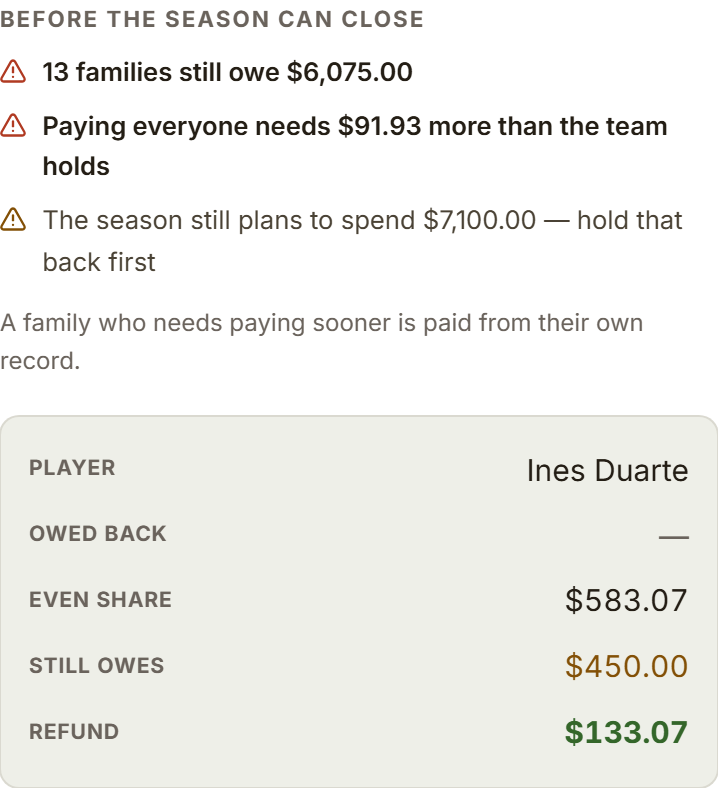
Season settlement works it out from the season’s real ledger — what the team is holding, each family’s even share, who is owed money back and who still owes. It names every reason the books are not ready to close, and keeps the pay-everyone button locked until they are.
7 / 7
The old way
The season ends and nobody writes down what happened.
With FieldLogicHQ
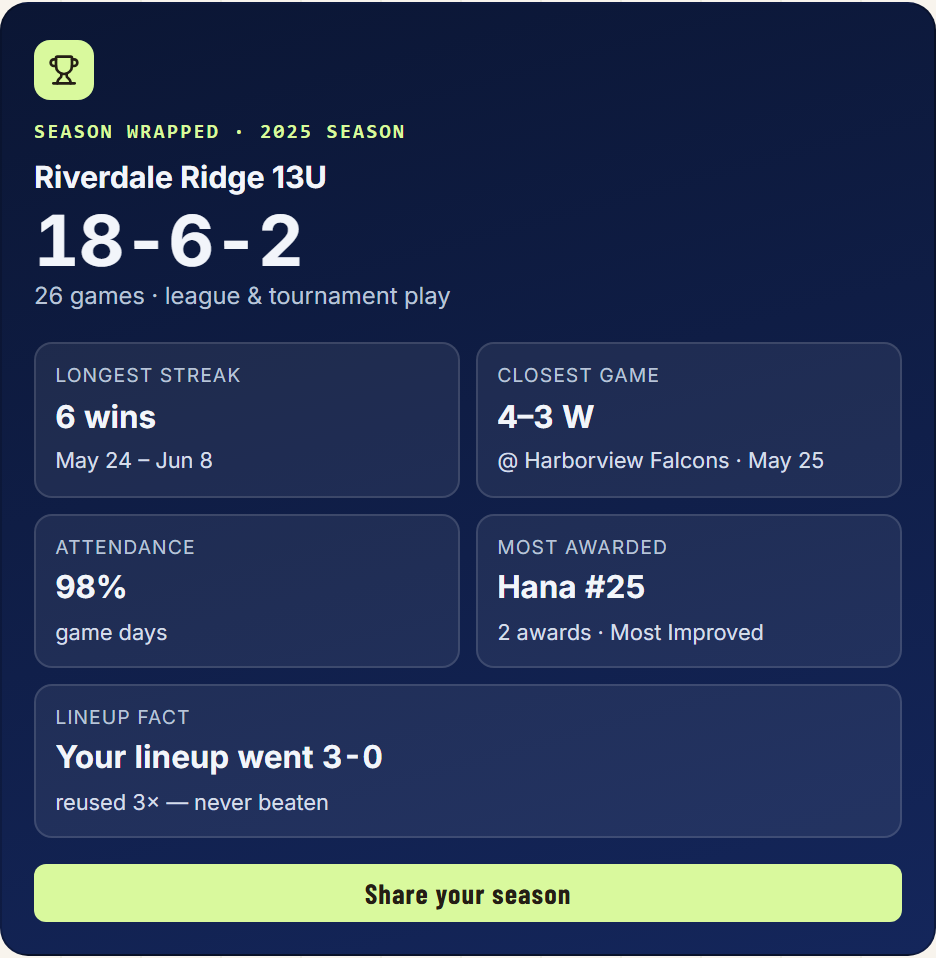
Close the season and the whole team workspace becomes one page: Season Wrapped — the record, the longest run, the closest game, who was on the field most — above four shelves holding the results, the roster, the practices you ran and how the money came out. It reads the same in three years as it does the week you close it, and starting next season does not take it away.
That was the pitch. Here’s the proof.
Sit in a coach’s seat — the season is running right now.
The demo is running right now, and it is a whole year you can walk: tryout day, mid-season, the off-season books, and a season already closed.
fieldlogichq.ca/for-coaches/walkthrough